

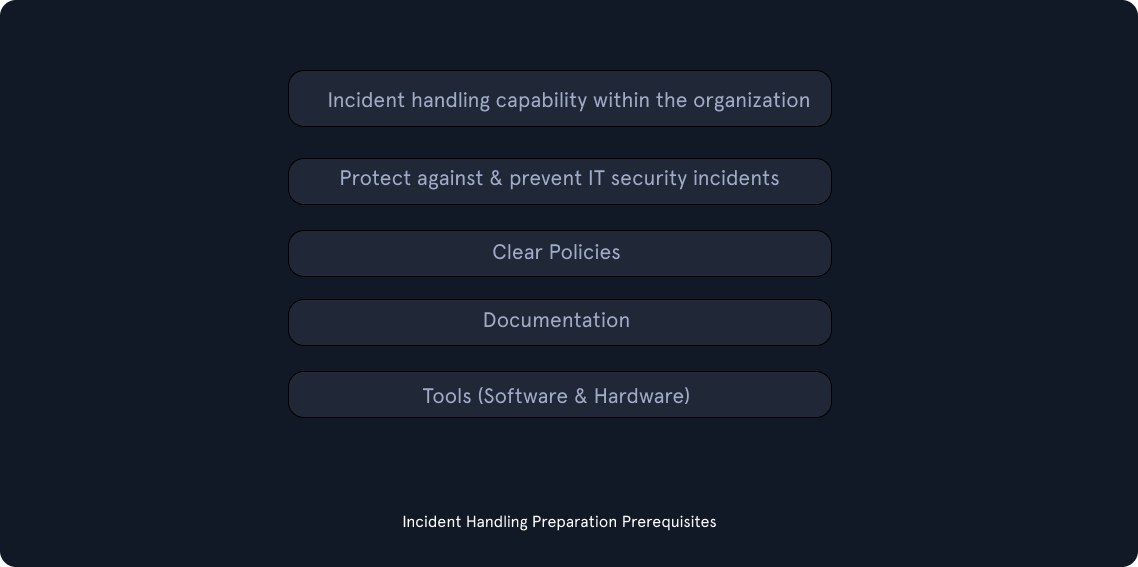
In the Preparation stage, we have two separate objectives. The first is the establishment of incident handling capability within the organization. The second is the ability to protect against and prevent IT security incidents by implementing appropriate protective measures. Such measures include endpoint and server hardening, Active Directory tiering, Multi-Factor Authentication, privileged access management, and so on. While protecting against incidents is not the responsibility of the incident handling team, this activity is fundamental to the overall success of that team.
Preparation Prerequisites #
During the preparation stage, we need to ensure that we have:
- Skilled incident handling team members (incident handling team members can be outsourced, but a basic capability and understanding of incident handling are necessary in-house regardless).
- A trained workforce (as much as possible, through security awareness activities or other means of training).
- Clear policies and documentation.
- Tools (software and hardware).
Clear Policies & Documentation #
Some of the written policies and documentation should contain an up-to-date version of the following information:
- Contact information and roles of the incident handling team members.
- Contact information for the legal and compliance department, management team, IT support, communications and media relations department, law enforcement, internet service providers, facility management, and external incident response team.
- Incident response policy, plan, and procedures.
- Incident information sharing policy and procedures.
- Baselines of systems and networks, out of a golden image and a clean state environment.
- Network diagrams.
- Organization-wide asset management database.
- User accounts with excessive privileges that can be used on-demand by the team when necessary (also for business-critical systems, which are handled with the skills needed to administer that specific system). These user accounts are normally enabled when an incident is confirmed during the initial investigation and then disabled once it is over. A mandatory password reset is also performed when disabling the users.
- Ability to acquire hardware, software, or an external resource without a complete procurement process (urgent purchase of up to a certain amount). The last thing you need during an incident is to wait for weeks for the approval of a $500 tool.
- Forensic/Investigative cheat sheets.
Some of the non-severe cases may be handled relatively quickly and without too much friction within the organization or outside of it. Other cases may require law enforcement notification and external communication to customers and third-party vendors, especially in cases of legal concerns arising from the incident. For example, a data breach involving customer data must to be reported to law enforcement within a certain time threshold in accordance with GDPR. There may be many compliance requirements depending on the location and/or branches where the incident has occurred, so the best way to understand these is to discuss them with your legal and compliance teams on a per-incident basis (or proactively).
While having documentation in place is vital, it is also important to document the incident as we investigate. Therefore, during this stage, we will also have to establish an effective reporting capability. Incidents can be extremely stressful, and it becomes easy to forget this part as the incident unfolds, especially when we are focused and moving extremely fast in order to solve it as soon as possible. We should try to remain calm, take notes, and ensure that these notes contain timestamps, the activity performed, the result of it, and who did it. Overall, we should seek answers to who, what, when, where, why and how.
Tools (Software & Hardware) #
Moving forward, we also need to ensure that we have the right tools to perform the job. These include, but are not limited to:
- An additional laptop or a forensic workstation for each incident handling team member to preserve disk images and log files, perform data analysis, and investigate without any restrictions (we know malware will be tested here, so tools such as antivirus should be disabled). These devices should be handled appropriately and not in a way that introduces risks to the organization.
- Digital forensic image acquisition and analysis tools.
- Memory capture and analysis tools.
- Live response capture and analysis tools.
- Log analysis tools.
- Network capture and analysis tools.
- Network cables and switches.
- Write blockers.
- Hard drives for forensic imaging.
- Power cables.
- Screwdrivers, tweezers, and other relevant tools to repair or disassemble hardware devices if needed.
- Indicator of Compromise (IOC) creator and the ability to search for IOCs across the organization.
- Chain of custody forms.
- Encryption software.
- Ticket tracking system.
- Secure facility for storage and investigation.
- Incident handling system independent of your organization’s infrastructure.
Many of the tools mentioned above will be part of what is known as a jump bag – always ready with the necessary tools to be picked up and taken immediately. Without this prepared bag, gathering all necessary tools on the fly may take days or weeks before we are ready to respond.
Finally, we want to stress the importance of having our documentation system completely independent from our organization’s infrastructure and properly secured. Assume from the beginning that our entire domain is compromised and that all systems can become unavailable. In a similar fashion, communications about an incident should be conducted through channels that are not part of the organization’s systems; assume that adversaries have control over everything and can read communication channels such as email.