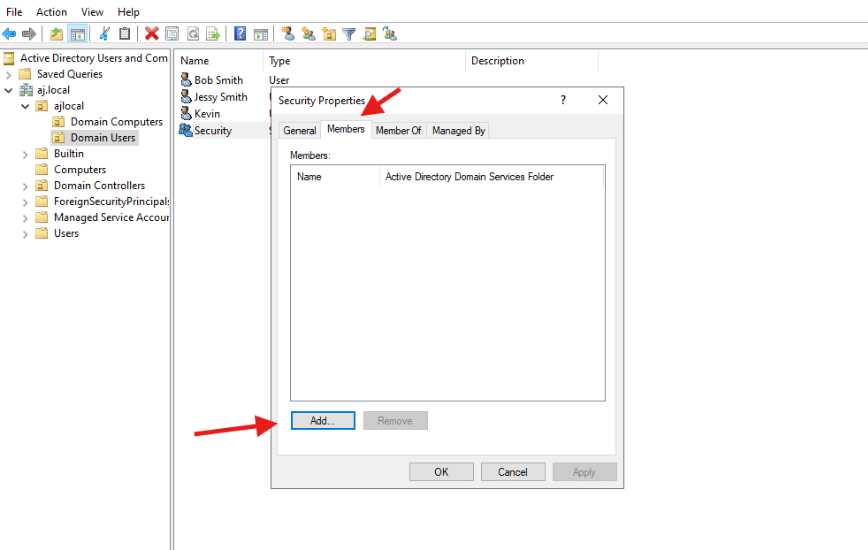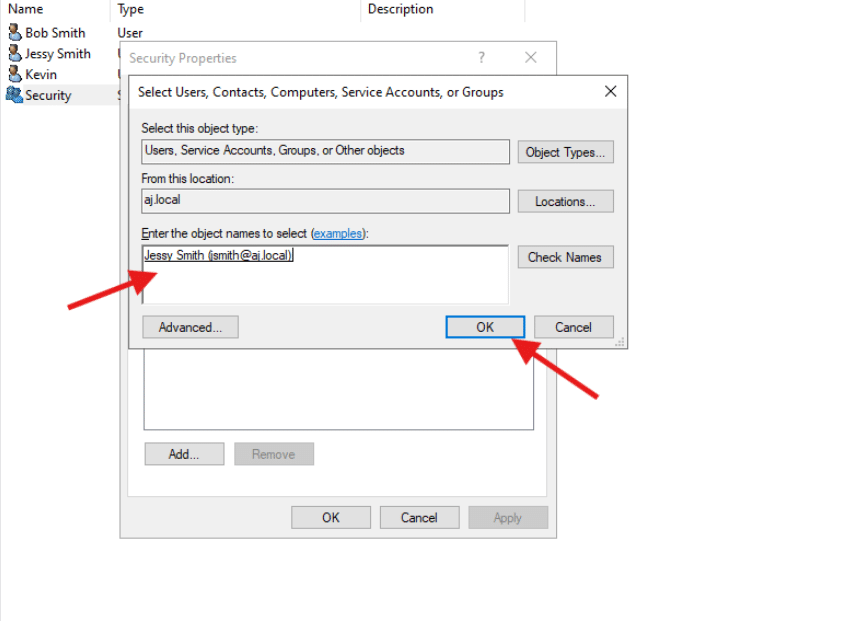

You can create a security group using either Active Directory Users and Computers (ADUC) or PowerShell:
- Open Active Directory Users and Computers (ADUC):
- Launch Server Manager, navigate to Tools, and select Active Directory Users and Computers.
- Navigate to the Desired Location:
- In the console tree, right-click on the Organizational Unit (OU) or container (e.g., the ‘Users’ folder) where you want to create the new group.
- Create New Group:
- From the context menu, select New > Group.
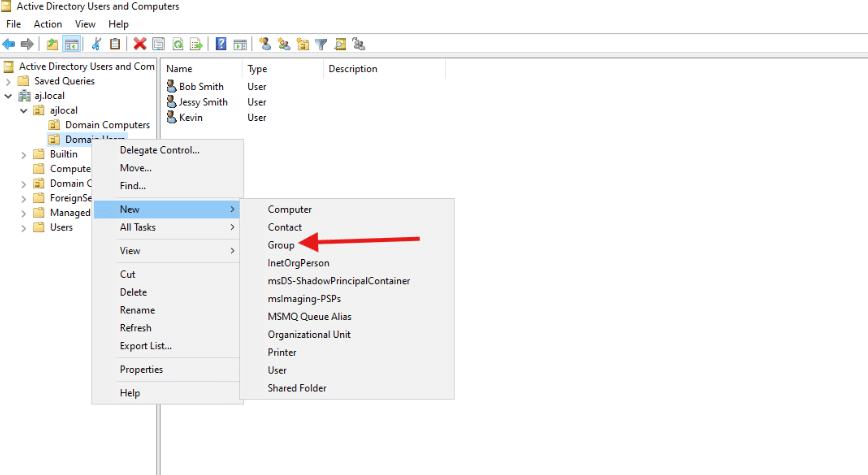
- Configure Group Properties:
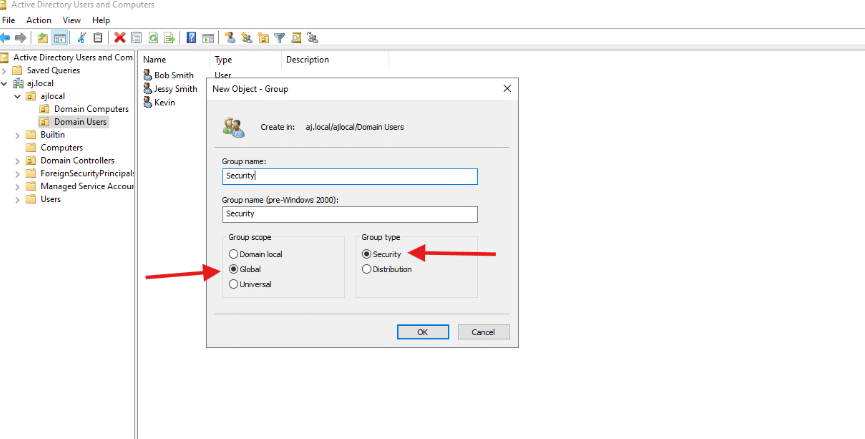
- In the “New Object – Group” dialog box:
- Enter a descriptive Group name (e.g., “Sales_Department”).
- Choose the appropriate Group scope: Global, Domain Local, or Universal.
- Ensure the Group type is set to Security (not Distribution).
- Click OK to create the group.
- In the “New Object – Group” dialog box:
- Add Members (Optional):
- To add users, right-click the newly created group, select Properties, go to the Members tab, and click Add.